Table of Contents
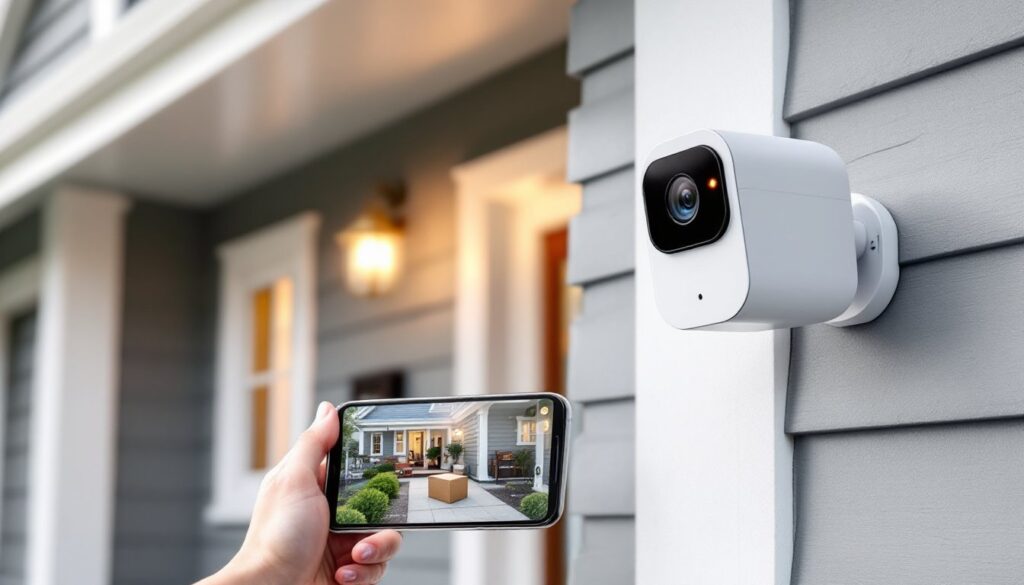
ToggleInstalling a security camera that talks to your smartphone isn’t just about catching porch pirates anymore, it’s about knowing what’s happening at home while you’re stuck in traffic, checking in on the dog walker, or confirming your teenager actually made it home after school. The right phone-connected camera turns your mobile device into a remote set of eyes that works whether you’re two states away or just upstairs. This guide cuts through the marketing noise and focuses on what actually matters: video quality you can rely on, alerts that don’t wake you up at 2 a.m. for a passing raccoon, and setup that doesn’t require a computer science degree.
Key Takeaways
- A security camera that connects to your phone delivers instant motion alerts and live footage access, enabling real-time response to potential threats rather than discovering issues hours later.
- Look for cameras with at least 1080p resolution, 110-130° field of view, and advanced night vision (infrared or starlight sensors) to capture usable details for identification purposes.
- Choose power sources and storage options based on your installation—battery-powered cameras offer flexibility for renters, while wired systems provide continuous monitoring for permanent installations.
- Smart alerts with person detection and activity zones reduce false alarms by 70-90% and prevent notification fatigue, making your phone-connected camera a truly useful security tool.
- Test camera placement, angle, Wi-Fi coverage, and detection settings before permanent mounting; most setup failures occur when default settings aren’t adjusted for your specific property layout.
- Battery-powered options start at $30-$60 with basic features, while mid-range cameras ($80-$150) add superior night vision and AI detection capabilities.
Why Phone-Connected Security Cameras Are Essential for Modern Homes
Traditional security cameras recorded to tapes or hard drives that nobody checked until something went wrong. By then, the footage was often grainy, overwritten, or the intruder had long since disappeared. A security camera phone connection changes that equation entirely.
Modern cameras with smartphone integration deliver live alerts the moment motion is detected. That means a homeowner can see who’s at the door, watch a delivery driver set down a package, or verify that strange noise was just the wind, all in real time. The difference between discovering a break-in hours later and stopping one in progress often comes down to those instant notifications.
Cloud storage adds another layer of protection. Even if someone smashes the camera or cuts power to the house, recorded footage is already uploaded and accessible from any device with an internet connection. Local storage options (SD cards or NAS devices) work too, but they’re vulnerable to physical theft or damage.
Integration with other smart home devices amplifies usefulness. Cameras can trigger porch lights when motion is detected, unlock smart locks for verified visitors, or sync with voice assistants for hands-free viewing on smart displays. According to recent smart home integration reports, households using connected security systems experience fewer false alarms and faster emergency response times compared to standalone systems.
For DIYers, phone-connected cameras eliminate the need for professional monitoring contracts. There’s no monthly fee to a security company, just direct access to live and recorded footage whenever needed. That said, some camera manufacturers offer optional cloud storage subscriptions for extended recording history, typically ranging from $3 to $10 per month per camera depending on resolution and retention period.
Key Features to Look for in a Phone-Compatible Security Camera
Not all cameras with phone apps are created equal. The difference between a useful security tool and a $50 paperweight often comes down to a few critical specifications.
Resolution matters, but 1080p (Full HD) is the practical minimum. Higher resolutions like 2K or 4K provide sharper detail for reading license plates or identifying faces, but they also consume more bandwidth and storage. For most residential applications, 1080p balances clarity with file size. Cameras marketed as “HD” without specifying resolution may be 720p, adequate for general monitoring but not ideal for capturing fine details.
Field of view determines coverage area. A 110-130° horizontal view covers most doorways and driveways. Wider angles (up to 180°) reduce the number of cameras needed but can introduce fisheye distortion at the edges. Corner-mounted cameras benefit from wider angles: cameras facing long hallways or narrow paths work better with tighter fields.
Power source impacts installation flexibility. Battery-powered cameras go anywhere without running cables, but batteries typically last 2-6 months depending on activity levels and temperature. Cold weather drains batteries faster. Wired cameras (hardwired to household voltage or Power over Ethernet) provide continuous power but require running cable through walls or attics, doable for a confident DIYer with a fish tape and patience, but expect to drill holes and possibly cut into drywall.
Weather resistance is non-negotiable for outdoor installations. Look for an IP65 rating or higher, which protects against dust and water jets from any direction. IP66 and IP67 ratings offer better protection against heavy rain and temporary submersion. Indoor cameras don’t need weatherproofing but should still handle humidity if placed near bathrooms or kitchens.
Storage options split between cloud and local. Cloud storage keeps footage accessible even if the camera is destroyed, but it requires a subscription. Local storage (microSD cards up to 128GB or 256GB) is free but vulnerable to theft. Some cameras offer both, a practical compromise.
Video Quality and Night Vision Capabilities
Daylight video quality is easy: nighttime performance separates good cameras from junk. Infrared (IR) night vision uses LED arrays invisible to the human eye but visible to the camera sensor, illuminating scenes up to 30-50 feet in complete darkness. The footage appears in black and white, which is fine for identification purposes.
Color night vision uses visible white LED spotlights or advanced sensor technology to maintain color in low light. It’s useful for identifying vehicle colors or clothing, but the spotlights can be intrusive for neighbors and drain more power. Some cameras switch between IR and color modes based on ambient light levels.
Starlight sensors use larger pixels and wider apertures to capture usable color footage in very low light without spotlights. They’re more expensive but deliver the best nighttime results. Independent reviews from sources like expert security camera comparisons consistently rank starlight-capable cameras at the top for nighttime clarity.
Frame rate affects smoothness. 15 frames per second (fps) is the minimum for security footage: 20-30 fps looks smoother and captures fast motion without blur. Higher frame rates increase file sizes and bandwidth usage, so balance quality against available network speed.
Two-Way Audio and Smart Alerts
Two-way audio turns a camera into an intercom. Built-in microphones pick up sound near the camera, and a speaker lets the homeowner talk back through the phone app. It’s useful for greeting delivery drivers, warning off trespassers, or calming a barking dog. Audio quality varies widely, test before mounting permanently if possible.
Echo and feedback can be issues with cheaper models. Look for cameras with noise cancellation and echo suppression built into the app. Microphone placement matters too: cameras with front-facing mics pick up clearer audio than those with rear or side openings.
Smart alerts use motion detection algorithms to reduce false alarms. Basic motion detection triggers on anything that moves, swaying branches, passing cars, neighborhood cats. Person detection uses AI to recognize human shapes, cutting irrelevant alerts by 70-90%. Some advanced cameras add package detection, vehicle detection, and even pet detection.
Activity zones let users draw boundaries within the camera’s view. Motion outside those zones gets ignored, so passing traffic doesn’t trigger alerts but someone stepping onto the porch does. This feature alone is worth the price of admission for cameras facing busy streets.
Notification customization prevents alert fatigue. Users should be able to set quiet hours, adjust sensitivity, and choose between push notifications, emails, or both. Apps that bundle all motion into a single daily summary miss the point, security alerts need to be immediate.
How to Set Up Your Security Camera with Your Smartphone
Installation difficulty ranges from “unbox and stick to wall” for battery cameras to “spend Saturday in the attic” for wired systems. Here’s what to expect.
1. Choose the mounting location. Walk the property with a tape measure and notepad. Identify entry points, blind spots, and areas with high foot traffic. Mount cameras 8-10 feet high to prevent tampering but keep them reachable with a ladder for battery swaps or adjustments. Angle cameras slightly downward to capture faces rather than the tops of heads.
2. Check Wi-Fi coverage. Security cameras need solid internet connections. Stand at each proposed mounting spot and check Wi-Fi signal strength on your phone. Two bars or less means trouble. Consider a mesh Wi-Fi system or outdoor access point if coverage is weak. Cameras can’t send alerts if they can’t reach the router.
3. Install mounting hardware. Battery cameras typically include adhesive mounts or screw-in brackets. For masonry or stucco, use concrete anchors (a 3/16″ or 1/4″ masonry bit works for most anchors). For vinyl siding, mount to the underlying sheathing or a stud, don’t trust the siding alone to hold. Wired cameras require running cable through walls, which usually involves drilling a 3/4″ hole from exterior to interior, feeding the cable, and sealing the hole with silicone caulk.
4. Power on and pair. Battery cameras power on immediately: wired cameras connect to transformers or PoE injectors. Download the manufacturer’s app (iOS or Android), create an account, and follow the pairing process. Most cameras use QR codes displayed in the app, hold your phone near the camera lens until it beeps or flashes. If pairing fails, restart the camera and router, then try again.
5. Configure settings. Set activity zones, adjust motion sensitivity, enable person detection, and configure notification preferences. Test the camera by walking through its field of view while watching the phone app. Adjust the angle if the view is too high, too low, or missing key areas. According to comprehensive tech reviews, most setup failures stem from skipping this testing phase and assuming default settings work for every location.
6. Mount permanently. Once tested, secure the camera with all screws tightened and cables tucked or concealed. Use cable clips to run wires along eaves or siding edges. Exposed cables are easy targets for tampering.
Safety note: When drilling into exterior walls, watch for electrical wiring and plumbing. Use a stud finder with wire detection to scan before drilling. If you’re unsure about what’s behind the wall, consult a licensed electrician. Drilling into a live wire isn’t just a project-ender, it’s a trip to the emergency room.
Top Security Camera Options for Different Home Needs
The best camera depends on installation constraints, monitoring priorities, and budget.
For renters and easy installs: Battery-powered cameras with adhesive mounts require zero tools. They’re removable without damage, making them lease-friendly. Expect 2-4 month battery life with moderate use. Look for cameras with solar panel accessories to extend runtime indefinitely in sunny locations.
For front doors and porches: Video doorbells combine camera, microphone, speaker, and doorbell in one unit. They replace existing wired doorbells or run on battery power. Two-way audio and package detection are standard features. Motion-activated pre-recording (buffering a few seconds before the alert) captures what triggered the motion, not just the aftermath.
For large properties: Pan-tilt-zoom (PTZ) cameras cover wide areas from a single mount. Users can remotely control the camera angle and zoom in on activity. Some models patrol automatically, cycling through preset viewing positions. PTZ cameras cost more ($150-$400) but reduce the total number of cameras needed.
For discreet monitoring: Dome cameras blend into ceilings and walls better than bullet-style cameras. They’re harder for intruders to tell which direction they’re facing, which provides some psychological deterrent. Indoor domes work well in hallways, entryways, and garages.
For harsh weather: Look for cameras rated for temperature extremes (typically -4°F to 122°F) and IP66+ weatherproofing. Metal housings outlast plastic in direct sun and freezing rain. Cameras with built-in heaters prevent fogging and ice buildup in winter.
For tight budgets: Expect to spend $30-$60 for basic 1080p cameras with cloud storage fees. Mid-range cameras ($80-$150) add better night vision, AI detection, and local storage. Premium models ($200+) offer 4K resolution, advanced AI, and HomeKit Secure Video or similar privacy-focused platforms.
For privacy-conscious users: Cameras with local-only recording (no cloud requirement) keep footage on-site. Some support end-to-end encryption even when using cloud storage. Avoid cameras from manufacturers with histories of data breaches or unclear privacy policies. Check whether the app requires account creation, some local-only cameras work without internet accounts, which limits remote access but maximizes privacy.
Conclusion
A security camera that connects to a phone transforms home monitoring from a passive recording device into an active security tool. Focus on resolution, night vision, and smart alerts first. Choose power and storage options that match installation constraints and monitoring habits. Test thoroughly before permanent mounting, and don’t skip activity zones, they’re the difference between useful alerts and notification overload. The best camera is the one that gets installed correctly and checked regularly, not the one with the longest spec sheet.