Table of Contents
ToggleSmart home phones have evolved from basic cordless handsets into sophisticated communication hubs that integrate with the rest of your connected home. These devices combine traditional calling with Wi-Fi connectivity, voice assistants, and touchscreen interfaces to handle everything from video calls to doorbell alerts. Whether you’re upgrading an outdated landline or adding a dedicated home communication device to your smart ecosystem, understanding what these systems offer helps you pick the right setup. This guide breaks down how smart home phones work, what features matter, and which models fit different household needs.
Key Takeaways
- Smart home phones integrate Wi-Fi connectivity, voice assistants, and touchscreen displays to combine traditional calling with smart home device control and security alerts.
- Modern smart home phone systems offer significant advantages including HD voice quality, spam call protection through community databases, and battery backup during power outages lasting 8-12 hours.
- Key features to prioritize when selecting a smart home phone include handset range (DECT 6.0 provides ~300 feet indoors), battery life of 10-12 hours talk time, and voice assistant integration for hands-free control.
- Smart home phones range from budget options at $50-$80 for basic VoIP cordless models to premium systems at $200+ that integrate directly with doorbells, cameras, and security systems.
- Proper setup requires checking your internet connection for stable VoIP support (100 kbps per call), positioning the base station away from interference sources, and testing backup power to ensure reliability during outages.
What Are Smart Home Phones and How Do They Work?
Smart home phones connect to your home network via Wi-Fi or Ethernet rather than relying solely on traditional phone lines. Most models support Voice over Internet Protocol (VoIP), which routes calls through your internet connection instead of copper wiring. This setup allows integration with other smart devices and services.
These phones typically include a base station that plugs into your router and pairs with one or more handsets. The base handles call routing, stores contact lists, and manages connections to your home automation system. Many units also support Bluetooth for smartphone pairing and DECT 6.0 wireless technology for interference-free communication between handsets.
Unlike a smartphone sitting in a dock, dedicated smart home phones offer features like intercom systems between rooms, call blocking with community databases, and answering machine capabilities with remote access. The devices sync with voice assistants like Alexa or Google Assistant, letting users make calls, check messages, or control smart devices through voice commands.
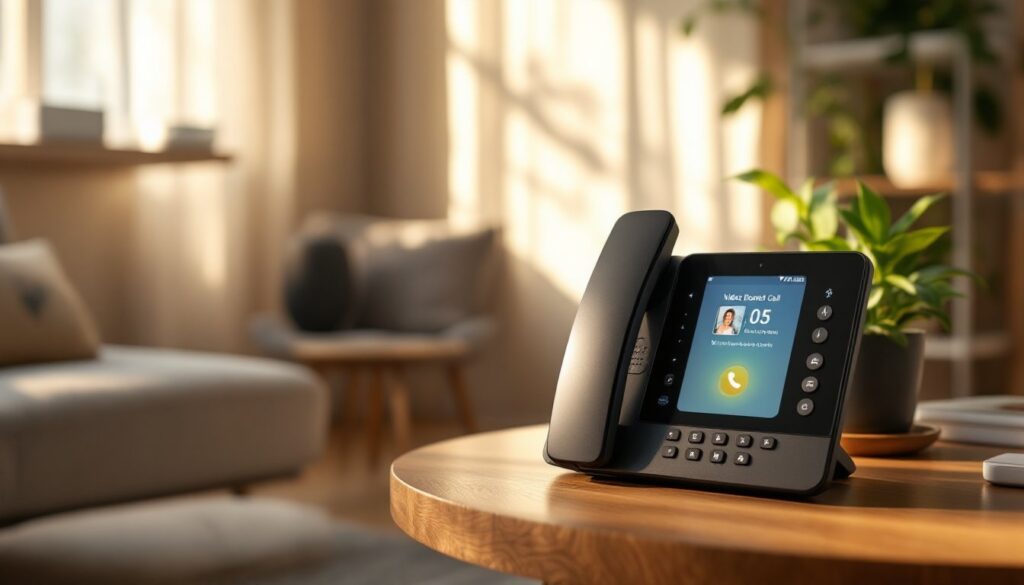
Some systems work as standalone units, while others integrate directly with home security systems or video doorbells. When someone rings your smart doorbell, the call routes to your handset with live video. The technology bridges traditional telephony reliability with modern connectivity, no dead smartphone battery means no missed important calls.
Key Benefits of Upgrading to a Smart Home Phone System
Call quality improves significantly with smart home phones. Digital transmission eliminates the static and crosstalk common with old analog lines. HD voice technology delivers clearer audio, making conversations easier for users with hearing difficulties.
Spam call protection ranks as one of the biggest advantages. Modern smart phones include databases that automatically flag or block known spam numbers. Some models let you whitelist approved contacts and send everything else straight to voicemail. This feature alone saves countless interruptions throughout the week.
Multi-device integration transforms how households communicate. Answer a doorbell call from any handset in the house. Check your security camera feed on the phone’s screen. Receive alerts when your smart smoke detector activates. These connections consolidate communication into one system rather than juggling multiple apps and devices.
Reliability during power outages matters for households that depend on VoIP. Many smart phone base stations include battery backup that keeps the system operational for 8-12 hours when the power cuts out. Compare that to a smartphone that dies after a few hours of heavy use.
Accessibility features help elderly users or those with limited mobility. Large buttons, amplified volume (up to 50 dB on some models), and voice-activated dialing remove barriers. Some systems integrate with medical alert services, providing an extra safety layer for aging-in-place situations.
Homeowners exploring smart home strategies often find that a dedicated phone system fills gaps that smartphones and tablets can’t address.
Top Features to Look for in Smart Home Phones
Handset range determines coverage throughout your home. Standard DECT 6.0 technology provides roughly 300 feet indoors and 1,000 feet outdoors from the base station. Larger homes may need systems that support multiple bases or repeaters to eliminate dead zones.
Battery life varies widely. Quality handsets run 10-12 hours of talk time and remain on standby for 5-7 days. Cheaper models die in half that time. Check if replacement batteries are proprietary or standard AAA rechargeable cells, the latter costs less long-term.
Call blocking and screening should include both a built-in database and the ability to manually block numbers. Look for systems that announce caller ID audibly before you pick up, giving you a chance to screen before answering.
Answering machine capacity ranges from 15 to 60 minutes of recording time. Digital systems let you access messages remotely via smartphone app or web portal. Some offer voicemail-to-email transcription, though accuracy varies.
Intercom and room monitoring lets you use handsets as two-way communication devices between rooms. This feature proves useful for multi-story homes or checking on kids without shouting up the stairs.
Voice Assistant Integration
Built-in Alexa or Google Assistant support turns your phone into a voice hub. Ask it to call contacts, set reminders, control lights, or answer questions without lifting the handset. The microphone quality matters here, cheaper models struggle with voice recognition in noisy rooms.
Some phones act as standalone assistants with their own speakers, while others require pairing with an existing Echo or Nest device. Standalone units cost more but offer better audio quality for music and announcements. Integration depth varies: premium models access your full smart home ecosystem, while budget options limit you to basic commands.
Homeowners building comprehensive connected tech tools benefit from phones that work seamlessly with existing voice platforms rather than introducing yet another proprietary system.
Video Calling and Display Screens
Touchscreen displays range from 2.4 to 7 inches. Larger screens make video calls practical and let you view doorbell cameras or security feeds without grabbing your phone. Resolution matters, look for at least 480 x 800 pixels for clear images.
Video calling compatibility includes platforms like Skype, Zoom, or proprietary systems. Some phones only support video between handsets on the same network, limiting usefulness. Verify that the model works with the services your household already uses.
Front-facing cameras typically deliver 720p resolution, adequate for casual video chats but not professional calls. Lighting conditions affect quality more than resolution, built-in LED lights help in dim rooms.
Display screens also show caller ID, call logs, and smart home device status. The best implementations integrate with home automation platforms, displaying current temperature, locked door status, or upcoming calendar events right on the handset.
Best Smart Home Phone Options for Different Households
For budget-conscious buyers: Basic VoIP-enabled cordless phones start around $50-$80 for a single handset. Panasonic and VTech offer reliable models with call blocking and Bluetooth smartphone connectivity but skip video screens and voice assistants. These work well for households that want spam protection and decent call quality without paying for features they won’t use.
For tech-forward homes: Systems like the Echo Show paired with Alexa calling or Google’s Nest Hub Max function as smart home phones with full voice assistant integration. Prices run $150-$230. These aren’t traditional phones, they lack handsets and rely entirely on speakerphone or video calls, but they integrate deeply with smart home examples like lights, locks, and thermostats.
For multi-handset needs: Larger homes need systems that support 4-6 handsets covering different floors or outbuildings. Models with expandable bases run $120-$200 for a starter set, with additional handsets costing $40-$60 each. AT&T and Panasonic dominate this category with robust DECT systems and long battery life.
For elderly or accessibility needs: Amplified phones with large buttons, talking caller ID, and emergency call buttons address specific challenges. Brands like Clarity and Serene Innovations specialize in this niche, with prices from $80-$180. Some models integrate with medical alert systems or allow one-button dialing to preset emergency contacts.
For integration-heavy setups: Ring offers a smart phone system that connects directly to Ring doorbells and security cameras. When someone rings the doorbell, it routes to your handset with live video. This level of integration costs $200+ but eliminates app-hopping. Similar integration exists with some best smart home systems that prioritize unified control over individual device features.
Market availability in 2026 favors hybrid models that combine traditional cordless phone reliability with selective smart features. Fully loaded systems with every bell and whistle often cost $250-$400 but provide diminishing returns unless you’ll actually use video calling and voice control daily.
How to Set Up and Integrate Smart Phones with Your Home System
Step 1: Check your internet connection. VoIP-based smart phones require stable bandwidth. Most systems need 100 kbps upload and download per active call. Run a speed test before purchasing to confirm your network can handle simultaneous calls and device usage. Fiber and cable connections rarely struggle: older DSL lines may need upgrading.
Step 2: Position the base station. Place it near your router but away from microwave ovens, baby monitors, or other 2.4 GHz devices that cause interference. The base needs a power outlet and Ethernet connection (or strong Wi-Fi signal). Elevated positions on shelves improve handset range throughout the home.
Step 3: Connect to your network. Plug the base into your router using the included Ethernet cable, or follow the manufacturer’s instructions for Wi-Fi pairing. Most systems auto-configure, but some require logging into a web portal to set up VoIP credentials if you’re porting an existing number.
Step 4: Register handsets. Power on each handset and follow the pairing sequence, usually holding a button on the base while selecting “register” on the handset menu. The process takes 30-60 seconds per handset. Assign room names (Kitchen, Bedroom, Office) to identify which handset rings when transferring calls.
Step 5: Integrate voice assistants. Open the Alexa or Google Home app, select “Add Device,” and follow prompts to link your phone system. This step requires creating an account with the phone manufacturer and granting permissions for call access. Testing involves making a voice-activated call to verify the connection works.
Step 6: Connect smart home devices. Link compatible doorbells, cameras, or security systems through the phone’s app or your home automation hub. Each manufacturer handles this differently, getting started with smart home tech often involves trial and error the first time. Prioritize critical integrations like doorbell alerts before adding convenience features.
Step 7: Configure call blocking. Enable automatic spam filtering in the phone’s settings menu. Add personal numbers to the block list and set up screening rules (send unknown callers to voicemail, only ring for contacts, etc.). Update these settings as spam patterns change.
Step 8: Test backup power. If your base includes battery backup, verify it switches seamlessly during a simulated outage by unplugging it briefly. Confirm handsets still make and receive calls. Battery backups require replacement every 2-3 years, note the model number for future reference.
Troubleshooting common issues: Static or dropped calls usually indicate weak Wi-Fi or network congestion. Move the base closer to the router or upgrade to a mesh system. Handsets that won’t pair often need a factory reset, check the manual for the button combination. Voice assistant integration fails frequently due to mismatched account settings: logging out and back in resolves most problems.
Most installations take 30-45 minutes from unboxing to first call. Advanced integrations with security systems or multi-room setups may require an additional hour. If you’re adding a smart phone to an existing robust setup, comparing smart home tech versus traditional systems helps set realistic expectations for compatibility challenges.